

What a Ruleset Is
A governance ruleset is a set of rules and standards that services must adhere to. Rulesets define the requirements for service design, security, documentation, and operational characteristics. They act as executable policies that codify your organization’s service governance expectations.Ruleset Components
Every ruleset is composed of:- Rules: Individual checks that validate specific aspects of a service definition.
- Severity Levels: Each rule carries a severity of Error, Warn, or Info that determines how strongly the rule’s outcome affects compliance. See Severity and Compliance.
- Validation Functions: The specific logic used to evaluate service definitions against rules. Tyk Governance ships with built-in functions covering the common cases.
- Remediation Guidance: Per-rule “How to fix” guidance authored alongside the rule itself, displayed inline against any service that fails the rule.
Spectral Compatibility
Tyk Governance rulesets are compatible with the Spectral ruleset format, a widely adopted linting and governance standard. This compatibility offers several advantages:- Familiar Format: Teams already using Spectral can migrate their existing rulesets without rewriting them.
- Ecosystem Integration: You can use the broader ecosystem of pre-built Spectral rules.
- High-Performance Execution: Tyk Governance executes rulesets using the Vacuum engine, a high-performance Go-based linter that is fully compatible with the Spectral ruleset format and significantly faster than Spectral on large service specifications.
given and then structure, built-in functions, and detailed error messaging.
Create a Ruleset
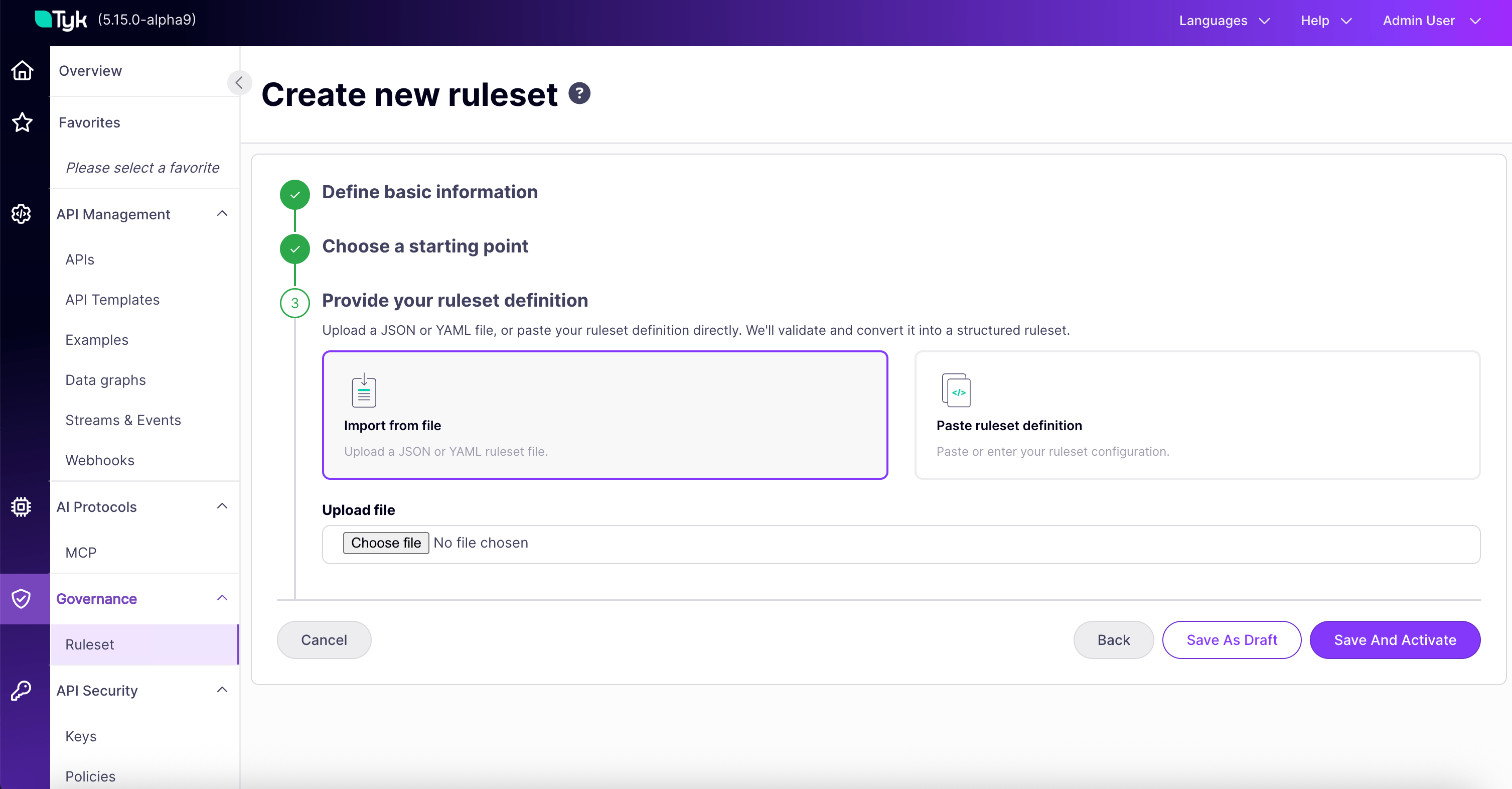
Tyk Governance offers two paths for creating a ruleset, both accessed through the + Create new ruleset wizard.From a Template
Templates are pre-built rulesets. They give teams a runnable starting point on day one, rather than requiring rules to be authored from scratch. The wizard takes you through:- Define basic information: name, description, Deployment Warning toggle, and API Categories.
- Choose starting point: select Start from template.
- Browse templates: choose from the templates available in your environment.
- Review and edit: the template’s JSON loads into the editor. Adjust as needed.
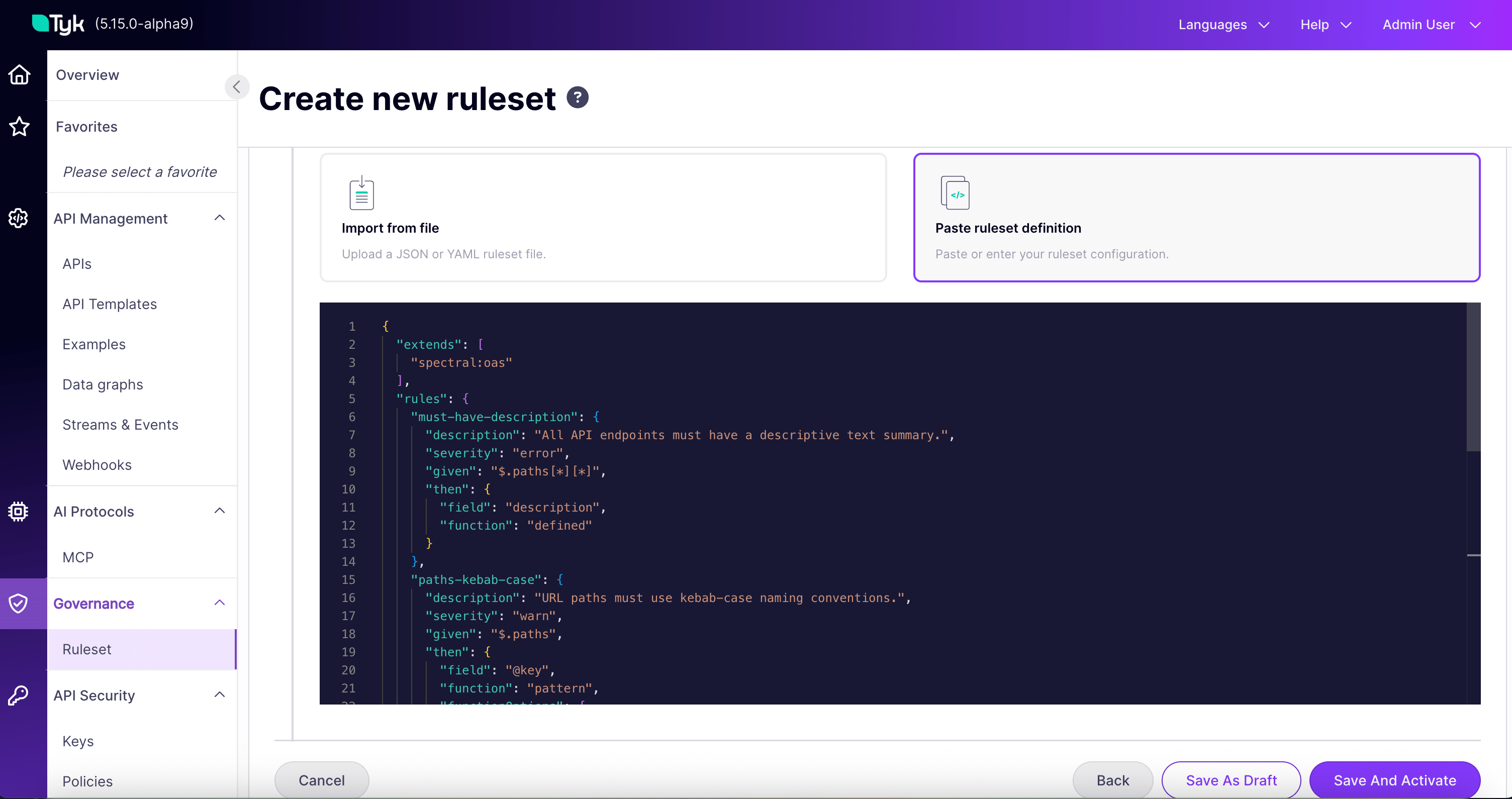
From Your Own Definition
If you already maintain Spectral rulesets, or you want to write one from scratch, choose Start with your own definition. You then have two sub-options. Import from file. Upload a.json or .yaml Spectral-compatible ruleset.
Configure a Ruleset
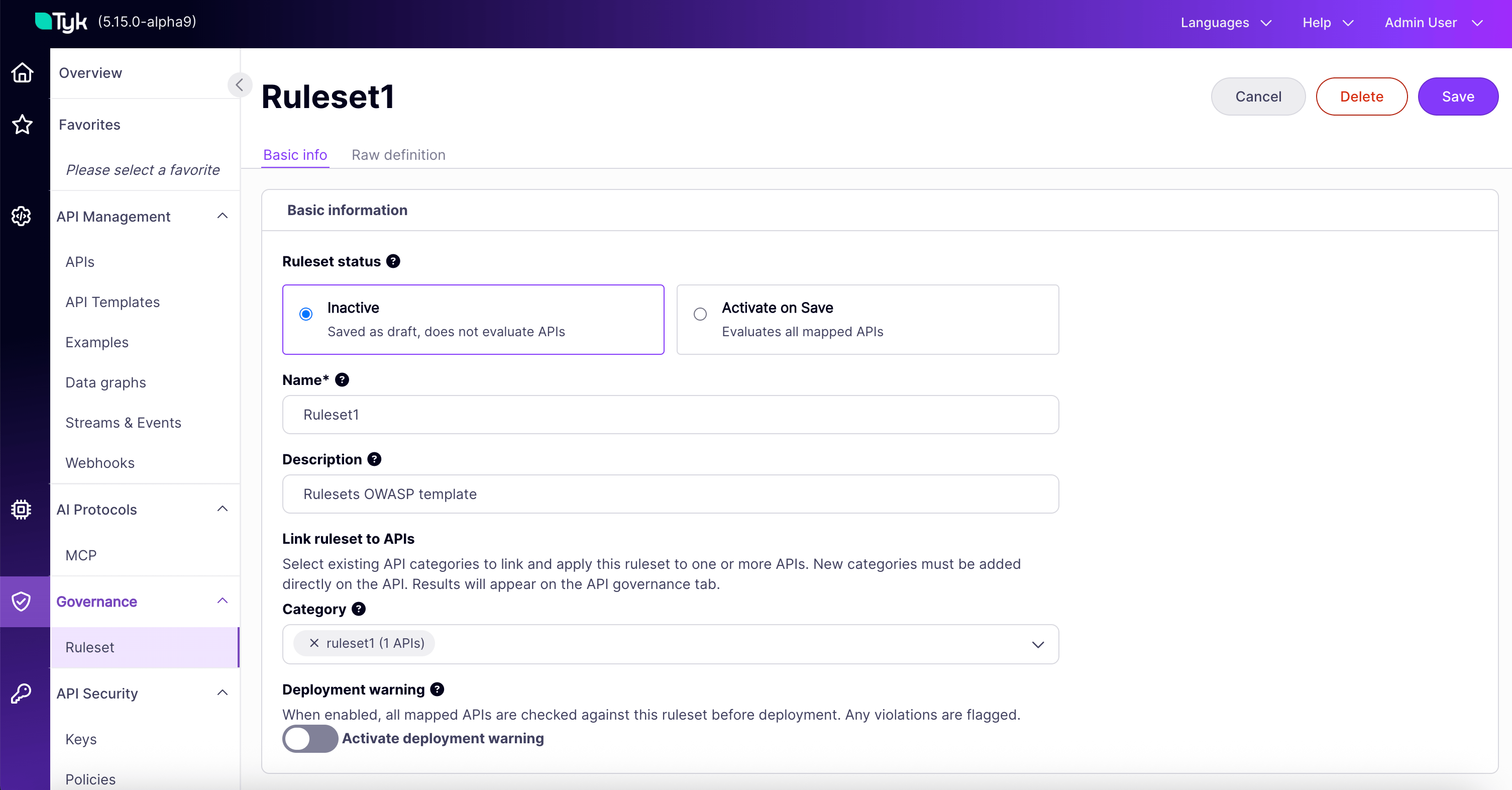
Click any ruleset in the list to open its detail page and click Edit, or select Edit from the Actions drop-down. The page has two tabs.Basic Settings
The default tab. From here you can adjust:- Status: Inactive, which does not evaluate services, or Active, which evaluates all mapped services.
- Name: Required, and unique within the organization.
- Description: Long-form description.
- Link ruleset to services (Category): Multi-select. The ruleset evaluates services in any of the selected categories.
- Deployment Warning toggle: Off by default. When on, saving a non-compliant service in a matching category produces a soft warning at deploy time. See The Deployment Warning.
Raw Definition
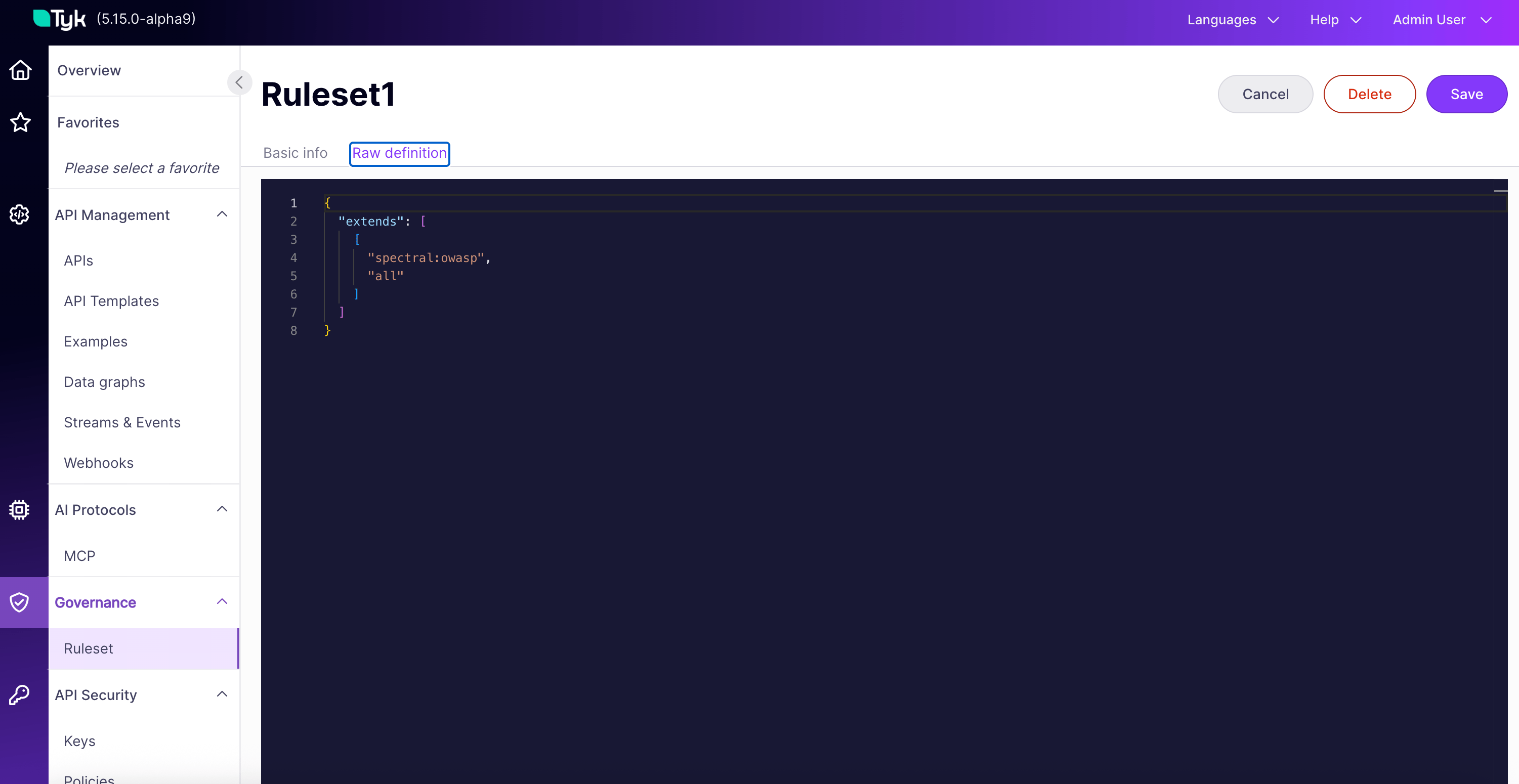
The Raw definition tab exposes the full ruleset JSON in an editor. Use this tab to edit individual rules, change severities, adjust JSONPath selectors, edithowToFix text, or add and remove rules.
Test a Ruleset Against a Service
Beyond the continuous evaluation that drives a service’s actual compliance status, Tyk Governance provides a test mode for previewing how a ruleset would behave against a service, without affecting that service’s compliance status. Test runs are available from two entry points:- From the ruleset’s detail page, described below. Select any service and run the current ruleset against it. Use this when you are authoring the ruleset.
- From the Governance tab on a service. Run any ruleset against that one service. Use this when you own the service. See Service Compliance.
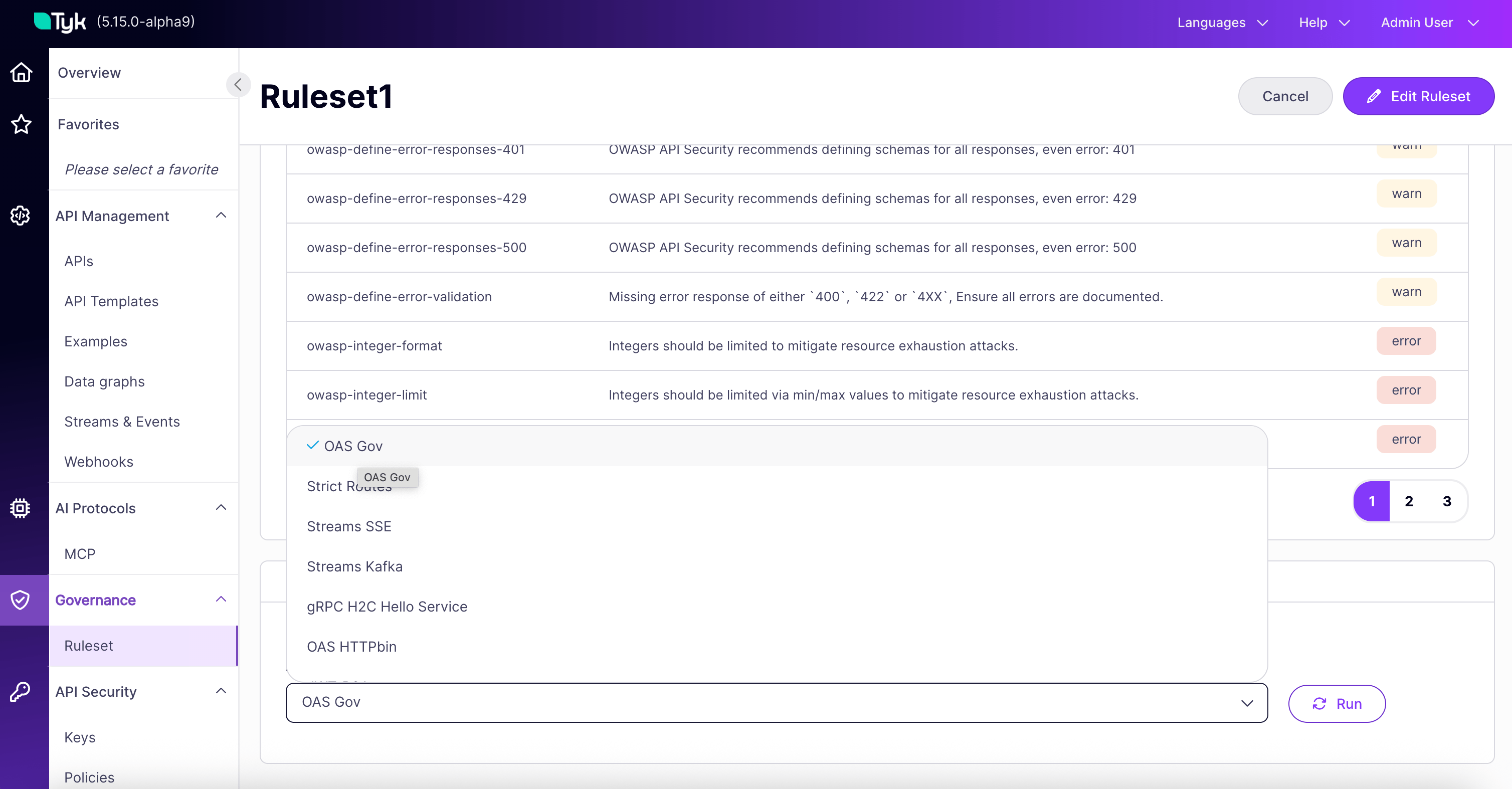
- Open the ruleset’s detail page.
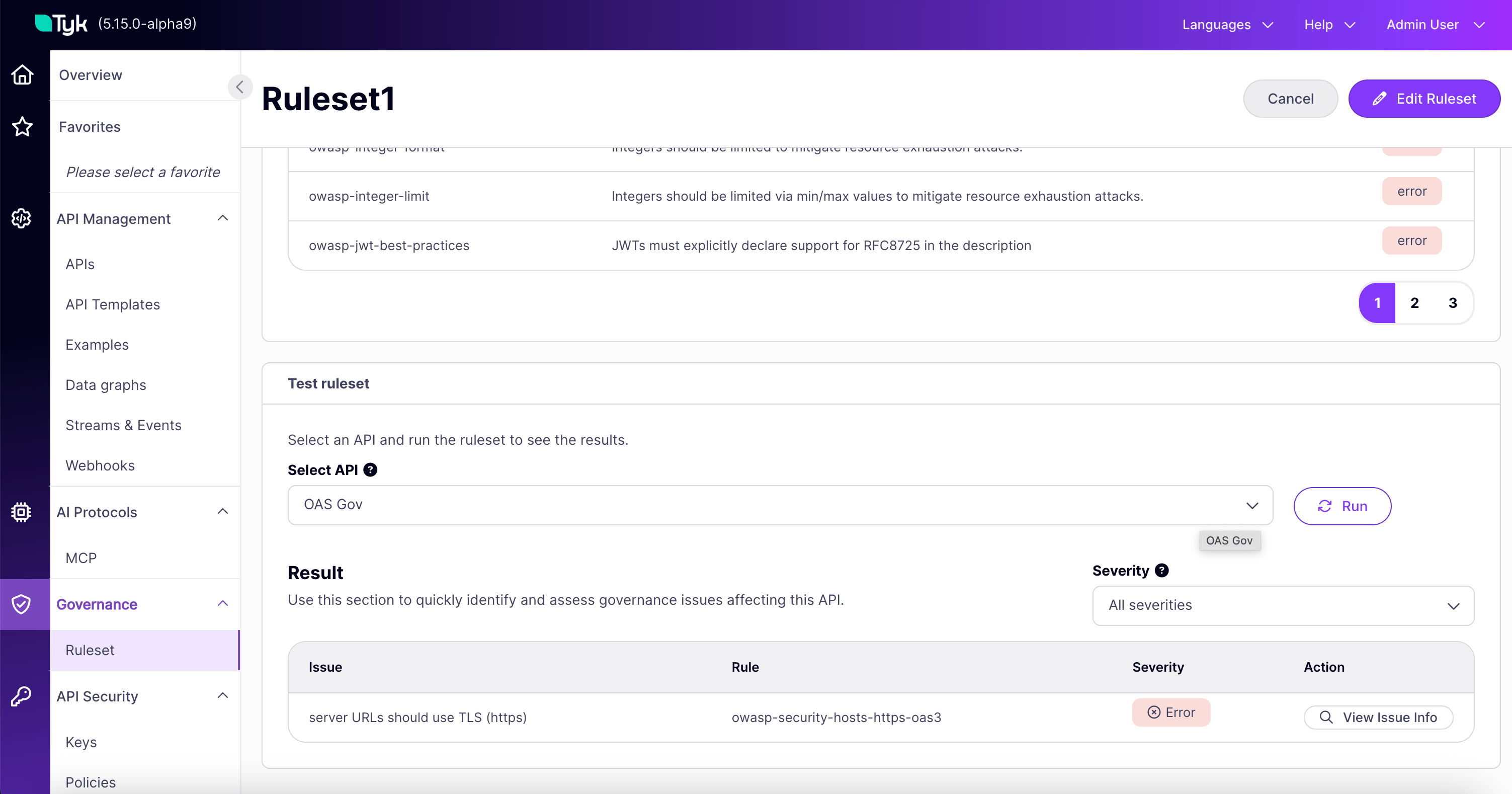
- In the Test ruleset panel, select a service from the dropdown.
- Click Run ruleset.
- Review the issues returned, graded by severity.
- Reviewing a ruleset before activating it: run a draft ruleset against a representative service to see what would be flagged, then refine the rules before linking the ruleset to a category.
- Iterating on rule severity or definitions while editing the Raw definition.
- Spot-checking an individual service against a ruleset that is not currently linked to its category.
Find a Ruleset in the List
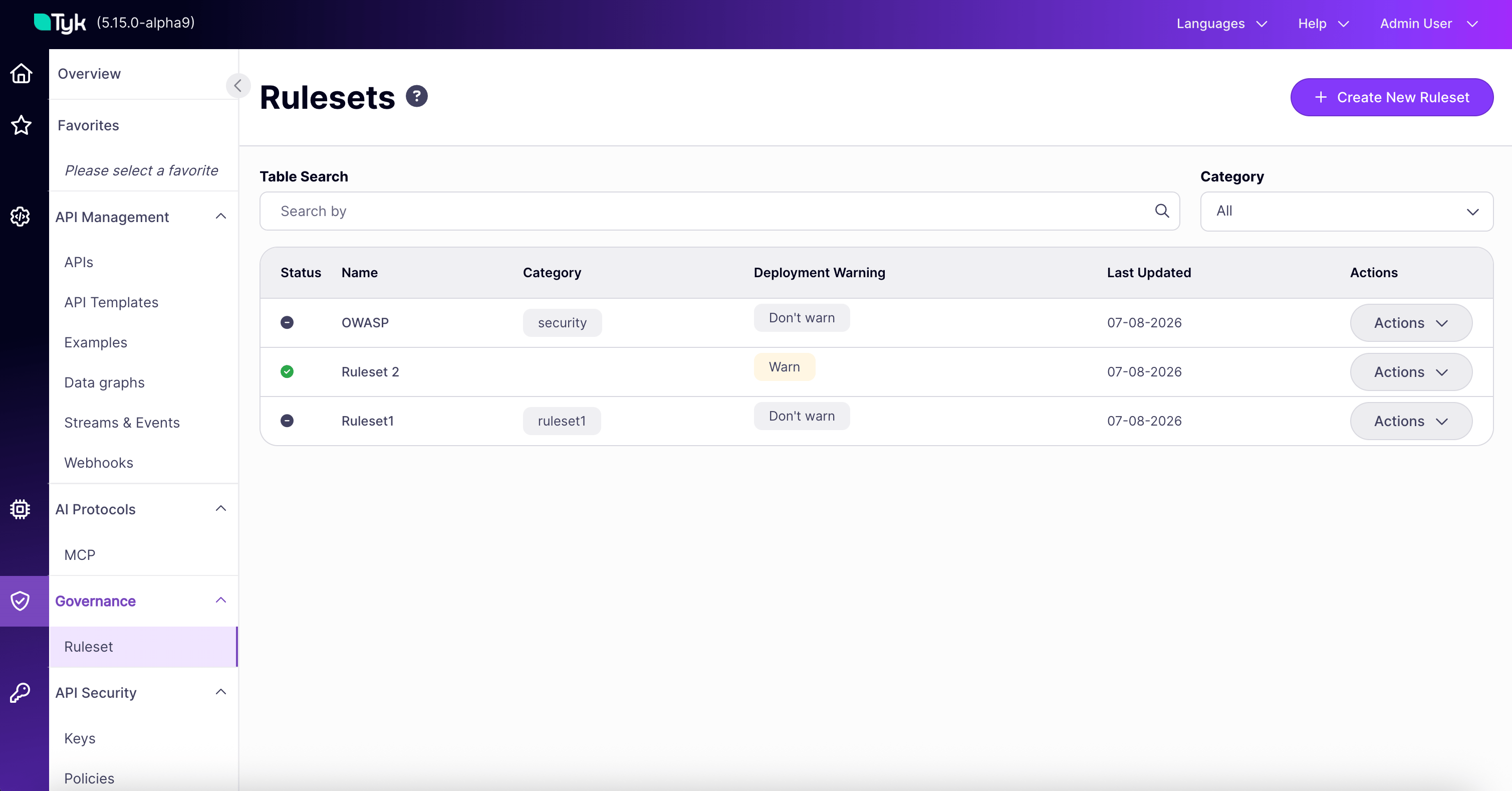
The Rulesets list page shows every ruleset in your organization. Use the search bar to filter by name and the category dropdown to filter by API Category. The list shows, for each ruleset:- Status: Active or Inactive. Inactive rulesets do not evaluate services.
- Name: Click to open the ruleset’s detail page.
- Category: The API Categories the ruleset is linked to.
- Deployment Warning: Whether the warning toggle is on or off.
- Last updated: When the ruleset was most recently modified.
- Actions: View or edit the ruleset.
Delete a Ruleset
Click Edit Ruleset. A delete button appears at the top right. A confirmation modal then opens to confirm the deletion.Run a Ruleset From a Pipeline
Once a ruleset is linked to a category, you can also run it against an API definition from your CI/CD pipeline, before that API is ever imported into Tyk Dashboard. See CI/CD Governance Checks.Best Practices
- Start with templates. The OWASP API Security and Vacuum-Recommended templates cover most baseline cases without requiring custom authoring.
- Use clear, actionable
howToFixtext. When a rule fires, the API owner should be able to act on the guidance immediately. - Keep rulesets focused. A ruleset of 200 mixed-purpose rules is harder to maintain than three rulesets of 60 each, organized by domain such as security, design, and documentation.
- Use the test sandbox before activating. Run a draft ruleset against representative services before linking it to live categories, especially when promoting rules to Error severity.
- Assign clear ownership. Document which team or individual owns each ruleset, so changes go through a sensible review.
FAQ
What's the difference between starting from a template vs. writing my own?
What's the difference between starting from a template vs. writing my own?
Governance ships two curated templates, OWASP API Security and OpenAPI design standards, giving you a ready-to-use starting point you can customize. Writing your own ruleset from scratch, or importing an existing Spectral ruleset, gives you full control when your standards do not map closely to either template.
Is there a limit to how many rules a ruleset can contain?
Is there a limit to how many rules a ruleset can contain?
No, there is no limit.
If I edit a ruleset, does every service it governs get re-evaluated automatically?
If I edit a ruleset, does every service it governs get re-evaluated automatically?
Yes. Editing a ruleset automatically triggers re-evaluation of every service it governs via linked categories. It is not something you need to trigger manually.
Is there a limit on how many rulesets can govern one service?
Is there a limit on how many rulesets can govern one service?
No. A service can be linked to any number of rulesets at once, and each is evaluated and reported independently. A separate limit of 20 applies only to the CI/CD sandbox endpoint; see Limits in the Governance Evaluation API reference.
Are changes to rulesets audited?
Are changes to rulesets audited?
Yes. Creating, editing, and deleting rulesets are all recorded in Tyk Dashboard’s existing audit log.
Does running a test against a ruleset affect my real compliance status?
Does running a test against a ruleset affect my real compliance status?
No. Testing a ruleset from the sandbox does not change the service’s actual compliance status.